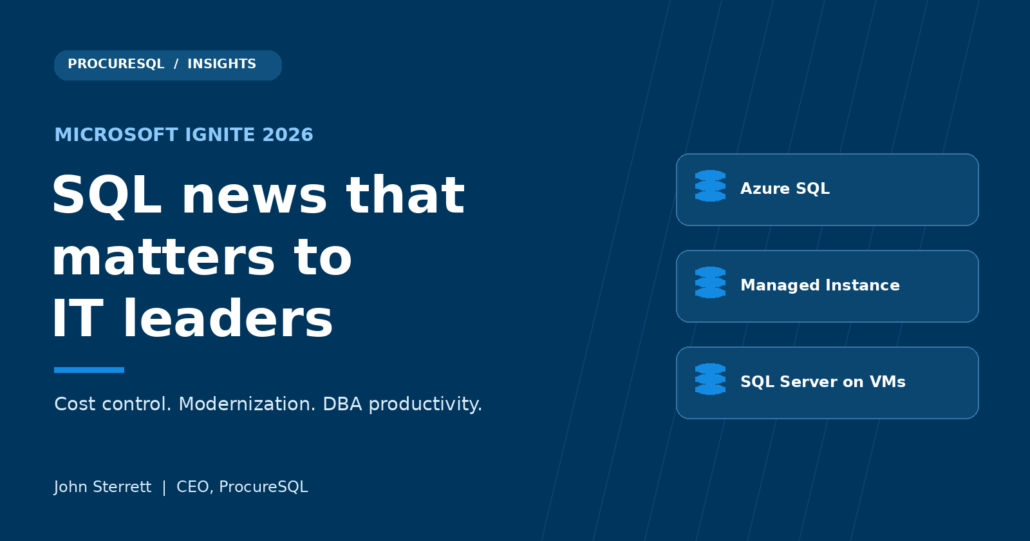
Microsoft Ignite 2026 SQL news gave CIOs and IT directors several reasons to revisit their database modernization plans. What stood out to me was Hyperscale’s expanding role beyond very large databases, improvements to generally available Managed Instance, and tools that could help lean DBA teams work more efficiently.
For CIOs and IT directors, the most useful conference announcements answer a practical question: Will this help us reduce costs, modernize with less disruption, or get more value from the team we already have?
My takeaway:
What stood out to me was the combination of a broader role for Azure SQL Database Hyperscale, production-ready improvements to Azure SQL Managed Instance, and tools intended to make database teams more productive.
Compare representative configurations and total operating costs before choosing a platform. Measure how often the database could actually pause and test the first-request experience after it resumes before you consider using Azure SQL Hyperscale. The recent changes create more opportunities to control idle compute costs, share provisioned capacity, and reduce migration work. They do not establish that Hyperscale will be the least expensive option for every application.
For IT leaders, cross-database query support is a reason to reconsider previously blocked applications from using Azure SQL Hyperscale; it’s not an instruction to migrate everything. It opens the door to considering cross-database queries in Hyperscale, which was a concern before.
Azure Managed Instance sucks for write-intensive workloads. Log throughput improves up to 220 MB/s, and increased storage per vCore makes Azure Managed Instances better. If you’re on a General Purpose Azure Managed Instance, this is an 80% improvement for log throughput.
If you want help saving money on your data estate or a proof of concept, contact us to talk with database experts who provide data architecture as a service.
Not everything announced is ready for production; however, some features are in public preview, and that distinction matters.
Azure SQL Hyperscale deserves a fresh look
If your last evaluation of Azure SQL Hyperscale ended with “too expensive for anything except our largest databases,” it deserves another look.
Hyperscale’s story at Ignite builds on changes Microsoft announced earlier this fall. September brought the public previews of serverless auto-pause and expanded elastic-pool capacity. At Ignite, Microsoft added another important piece: cross-database querying within the same Hyperscale elastic pool, also in preview. Together, these changes give organizations more reasons to evaluate Hyperscale for applications beyond their largest databases.
Microsoft’s Ignite messaging positions Hyperscale as a starting point for applications, not simply a destination after they outgrow another tier. Microsoft highlights databases starting at 10 GB and an architecture that separates compute from storage. Its serverless auto-pause preview, announced before Ignite, also broadens the discussion to development, testing, and intermittent workloads.
The economic opportunity is not that every Hyperscale deployment will automatically cost less. It is that organizations have more ways to avoid paying for dedicated capacity they do not consistently use.
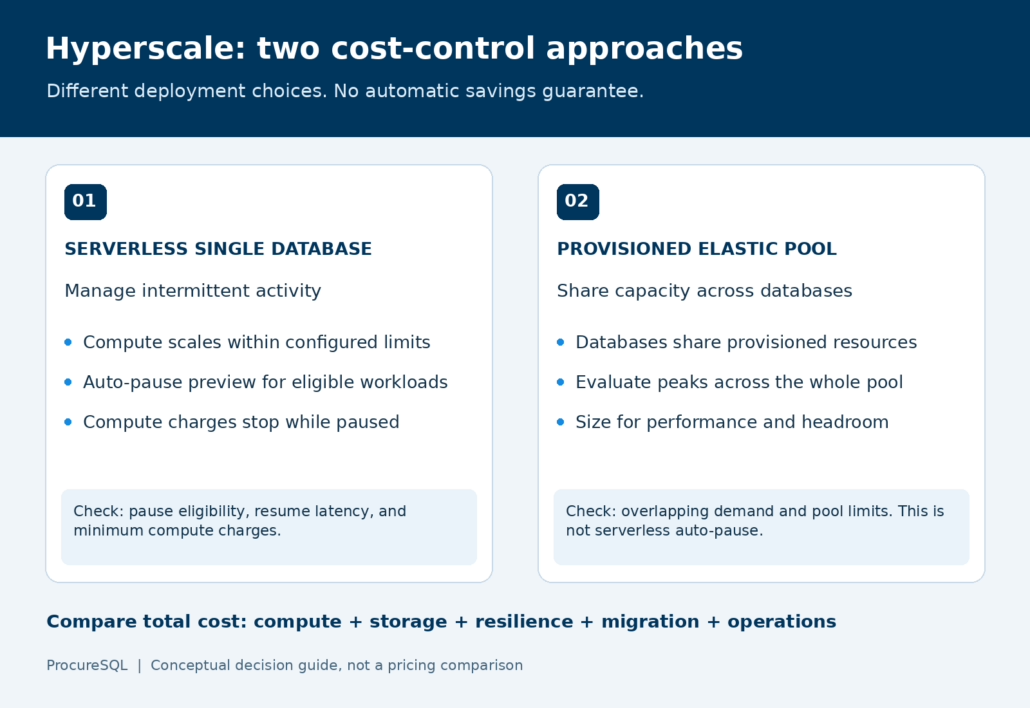
Hyperscale offers different cost-control approaches. Evaluate serverless single databases and provisioned elastic pools separately; neither guarantees lower total costs.
There are two different cost-control strategies to evaluate. For an eligible single database with intermittent activity, Hyperscale serverless can scale compute with demand, and its auto-pause preview can eliminate compute charges while paused. For multiple databases, a provisioned Hyperscale elastic pool offers a different approach: sharing compute capacity across databases rather than sizing each one independently. These are separate deployment choices.
If you previously dismissed Hyperscale as an expensive option reserved for very large databases, revisit the workload fit, not just the price sheet.
Cross-database querying could reduce migration work
One of the most interesting Ignite announcements was the preview of cross-database querying within the same Hyperscale elastic pool. Cross-database querying within the same Hyperscale elastic pool entered preview at Ignite. For applications that depend on queries across separate databases, this could reduce one source of migration work. It does not establish that the application can move unchanged. I would validate the actual queries, permissions, dependencies, and performance before treating it as a viable migration path.
That matters because migration cost is not just the Azure bill. Application changes, regression testing, and maintaining additional data pipelines can make a seemingly straightforward move expensive. We have worked with several clients that have cross-database dependencies between queries.
The boundary is important: This preview concerns databases within the same Hyperscale elastic pool. It is not a blanket promise that every cross-database SQL Server workload can move unchanged. For DBAs, the next step is to assess dependencies and run representative tests. Do not assume compatibility from the announcement alone.
Managed Instance adds production-ready options
Microsoft announced general availability of zone redundancy for the Next-gen General Purpose tier and highlighted flexible-memory options, log throughput up to 220 MB/s, and increased storage per vCore. Managed Instance link support for availability groups containing multiple databases also reached general availability. These are reasons to revisit an assessment, not proof that General Purpose can replace every higher-cost configuration.
These are practical developments for teams evaluating resilience, resource sizing, and migration paths. I would ask whether the updated General Purpose offering meets a workload’s requirements before assuming a more expensive configuration is necessary. That requires testing, but the potential business value is straightforward: Match spending to actual requirements.
Backup protection is also advanced, with previews for point-in-time restore, backup immutability beyond seven days, and long-term retention backup immutability. Those capabilities belong on the evaluation list, but preview status should remain visible in any production-readiness discussion.
What matters for SQL Server on virtual machines
For teams retaining SQL Server on virtual machines, Microsoft announced the public preview of Arc-enabled SQL Server Best Practices Assessment v2, including support for Failover Cluster Instances. SQL Server 2025 support on Ubuntu 26.04 LTS also entered public preview.
The assessment improvement is worth watching for organizations with lean DBA coverage or no Managed DBA Service coverage. My view is that modernization should include improving the environment you keep. Not only moving workloads elsewhere. Use the assessment findings to prioritize investigation and remediation rather than treating a move to Azure SQL as the only successful outcome.
My Takeaway: One of the quickest ways to get your databases into Azure is through Azure VMs. We have helped many customers use Availability Groups to simplify their migration to Azure. Performance tuning your workload as you migrate could save you a lot on compute costs. Don’t just lift and shift; tune and consolidate as well, as the data estate tends to be the most expensive part of your cloud bill.
Better tools for lean DBA teams
Microsoft also announced several changes aimed at reducing day-to-day friction:
-
Database Hub in Microsoft Fabric reached general availability, providing a consolidated view of database discovery, monitoring, and optimization. Database Agents investigation and recommendation capabilities entered public preview. These tools may reduce information-gathering effort, but I would evaluate database coverage, access requirements, and operating costs before treating them as a replacement for an existing monitoring workflow. Right now, Database Hub isn’t as good as many other tools on the market. If you are not using other tools like Sentry, DPA, or Idera Diagnostic Monitor, Database Hub is a good way to ensure you have perfmon baselines. I am curious to see how Database Hub might change over the next year or so as Database Agents take off, since competitors need help modernizing their features.
- The Azure SQL Database local development container, now in public preview, could reduce the need to provision a separate cloud database for every developer or test run. I would use it to improve development workflows while continuing to validate deployment compatibility, performance, and operational behavior in the intended Azure environment.
- The VS Code MSSQL extension gained a preview Query Performance Dashboard using Query Store insights.
These tools do not eliminate the need for experienced DBAs. The opportunity is to spend less time gathering information and more time validating causes, testing changes, and preventing repeat incidents.
What I would ask your team to do next
My recommendation is a focused review, not a wholesale platform change:
-
Revisit Hyperscale candidates previously rejected on size or cost assumptions.
-
Identify cross-database dependencies that have blocked Azure SQL Database adoption.
-
Compare Managed Instance’s generally available improvements against current workload requirements.
-
Test productivity and assessment previews outside critical production workflows.
The strongest message from Ignite is not “move everything.” It is that the available options have changed. Rechecking those options against your actual workloads may uncover a less expensive, less disruptive path forward. If you want help with an assessment or proof of concept, contact us to talk with real database experts providing data architecture as a service.