
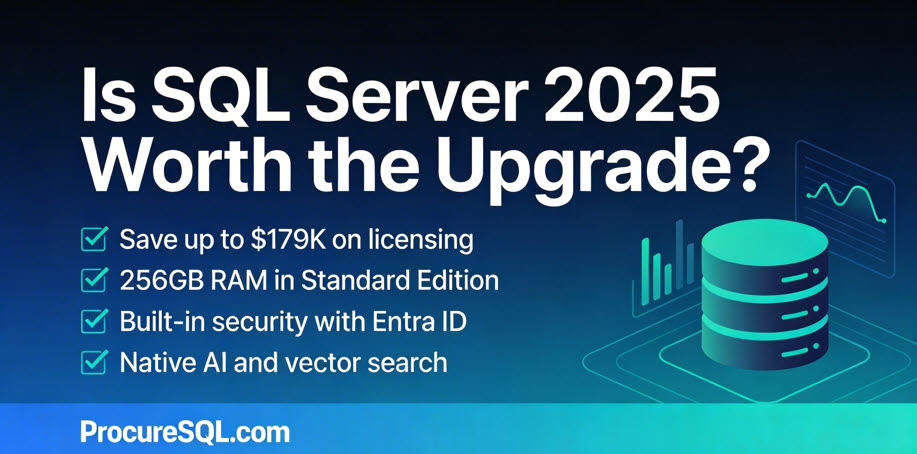
Most SQL Server 2025 reviews focus on features. Here’s what your CFO actually needs to know about the upgrade cost.
The issue I’ve found is that reviews of SQL Server 2025 Upgrade Costs or SQL Server 2025 Upgrade ROI is that showcase the business impact of the upgrade are hard to find and don’t focus solely on its technical aspects. SQL Server 2025 was released in November of 2025. Developers and Data Engineers are thrilled with the new features and upgrades it offers, and you can find plenty of their reviews on YouTube and in their blogs. But if you’re the owner of a company or need your CFO to approve the purchase of this upgrade, you need to know exactly what it will do for your bottom line and your customers.
As the CEO of ProcureSQL, I am responsible for ensuring our clients achieve the highest return on their SQL Server investments. Today, I’m here to speak with decision-makers who are wondering whether SQL Server 2025 is worth the financial investment.
Quick Takeaways for Decision Makers:
- Standard Edition savings up to $179K on 32-core deployments
- Security upgrades via Entra ID can help avoid the $4.44M average breach cost
- Web Edition discontinued — migration planning required
- Express Edition database limit jumps from 10 GB to 50 GB
- Fabric Mirroring eliminates custom replication pipeline costs
SQL Server 2025 Edition and Licensing Changes
Microsoft has restructured its edition model with SQL Server 2025, delivering significant improvements for organizations that do not plan to upgrade to Enterprise Edition. Here is a look at the SQL Server 2025 Standard vs. Enterprise Edition changes that benefit companies planning to use Standard Edition.
SQL Server 2025 Standard Edition Changes
The Standard edition increased the number of CPU cores from 24 in 2022 to 32 in 2025. With SQL Server 2022, list pricing is $15,123 per 2-core pack for Enterprise Edition and $3,945 per 2-core pack for Standard Edition. With official 2025 pricing at the same rate for Standard Edition and Enterprise Edition, organizations previously forced into Enterprise Edition can potentially save up to $179,000 on a 32-core deployment.
| SQL Server Edition | Cost Per Core | Cores | List Cost |
|---|---|---|---|
| SQL Server 2025 Enterprise | $7,562 | 32 | $241,984 |
| SQL Server 2025 Standard | $1,973 | 32 | $63,136 |
|
SQL Server 2025 Upgrade Cost Estimated Savings
|
$178,848
|
The memory limitation was also increased from 128GB of RAM in SQL Server 2022 to 256GB of RAM in SQL Server 2025. While there has never been a cap on database size in Standard Edition, the number of data pages that can stay in memory has doubled. The increased limitations on CPU and Memory alone should allow your team to process and analyze data faster if you are using the Standard edition of SQL Server and are upgrading to SQL Server 2025.
SQL Server 2025 Standard Edition picks up full Resource Governor support, including the new TempDB governance capabilities. You can define resource pools and workload groups to route sessions and limit or reserve CPU and Memory grants, and throttle I/O requests. Combined with the core and memory increases, Resource Governor enables workload consolidation on Standard Edition that previously required Enterprise Edition. The bottom line impact here is that you can prioritize applications based on resource workloads.
Starting with SQL Server 2025, Power BI Report Server is included with both Standard and Enterprise editions and no longer requires Software Assurance on those 2025 licenses. Previously, it required Enterprise core licenses with active Software Assurance. For organizations currently paying for Enterprise Edition + Software Assurance solely for using Power BI Report Server, this change can result in substantial cost savings.
SQL Server 2025 Express Edition Changes
The Express Edition of SQL Server has always been free, but the 2022 version limits users to 10 GB per database. It was good for applications with very low consumption and computing requirements. SQL Server 2025 Express Edition increases that limit fivefold, to 50 GB per database. While still limited, this is good for datasets that fit within the increased size constraint and for scenarios where a company might not want to pay for the standard version yet.
SQL Server 2025 Upgrade Roadblockers
There are two notable trade‑offs to be aware of before you look at the benefits. Web Edition is discontinued, so if you were using it, you will have to move to another edition when you upgrade. Organizations currently on Web Edition should be aware that there is no direct equivalent at the same price point. Standard Edition is substantially more expensive. In SQL Server 2025, Express Edition loses reporting rights entirely with the conversion of Reporting Services to Power BI Report Server.
An Important Developer Edition Change in SQL Server 2025
Microsoft also implemented an important solution for companies that do not plan to upgrade from Standard Edition to Enterprise Edition. Microsoft finally opened up the Developer Edition (free for anyone who wants to use it for non-production purposes) to let you choose between both Standard and Enterprise editions. This matters to you because previously, your development team might have used the Developer Edition in non-production and then used features that only worked in the Enterprise Edition in production. This required you to either spend more money by upgrading
from Standard Edition to Enterprise Edition or, worse, identify these errors and make quick, critical code changes after you deployed to production.
Now, if you are developing or testing an application, and you know the production workload will use Standard Edition, you can install Developer Standard Edition so the functionality is the same as what you would get with Standard Edition in Production. That way, you don’t have to worry about using features that either won’t work or have a different behavior than you would see from the Enterprise edition.
SQL Server 2025 Upgrade ROI: Security Enhancements That Save You Money
Every SQL login you retire lowers your breach exposure; even a single incident can easily cost more than your entire SQL Server upgrade. Moving to Entra ID and managed identities is cheaper than the cost of a serious breach. According to IBM’s 2025 Cost of a Data Breach Report, global averages are now at 4.44 million USD per incident and over 10.22 million USD in the U.S. That’s why it’s worth spending a moment on Entra ID Managed Identities.
SQL Server 2025 introduces native support for Microsoft Entra ID Managed Identities when you connect SQL Server to Azure with Azure Arc. Managed identities are arguably the biggest security advancement for on-prem SQL Servers in years. When you connect your SQL Server 2025 instance to Azure Arc, a system-assigned managed identity is automatically created for the host machine. You then associate that identity with the SQL Server instance.
The benefit is twofold. Managed Identities greatly improve both inbound and outbound authentication. External users and applications authenticate to SQL Server via Microsoft Entra ID. This can allow you to move from SQL authentication (the worst option for inbound authentication) to Entra ID with Multi-Factor Authentication (MFA), Single Sign-On (SSO), and conditional access. For outbound authentication, SQL Server authenticates to Azure Blob Storage, Azure Key Vault, and other Azure services without storing credentials in config files or connection strings.
“For most organizations, the security and productivity gains here are measured in millions of dollars of risk avoided and months of engineering time saved over the life of the platform.” – Kon Melamud CTO
SQL Server 2025 strengthens encryption for data in transit. Microsoft has implemented the highest standards to reduce the risk of your data being compromised in-flight, using not only TDS 8 (previously available in SQL Server 2022) but also TLS 1.3. TLS 1.3 is now supported across SQL Agent, sqlcmd, bcp, replication, log shipping, availability group endpoints, and PolyBase with SQL Server 2025.
SQL Server 2025 Upgrade: Developer Productivity and AI Cost Savings
SQL Server 2025 includes Copilot integration in SQL Server Management Studio (SSMS), which has productivity implications for development teams and increases developer efficiency.
SQL Server 2025 enables semantic/AI-powered similarity search directly in the database using a new VECTOR data type and the VECTOR_DISTANCE function. Note: Advanced vector indexing (DiskANN) is currently in public preview, while exact KNN search is currently GA, so plan accordingly for large-scale production deployments.
While this in itself does not provide a no-code experience for non-technical users, it simplifies development, enabling your end users to have better search capabilities with semantic search while letting you ship smarter features without buying and running a separate vector database, keeping both CapEx and OpEx in check. This can open the door for end users to use descriptive searches with SQL Server to filter and dig into your data in ways never before possible. You can leverage native T-SQL filters and semantic search together, giving you the best of both worlds. For example, imagine the benefits to your sales team when they can use semantic search natively within your CRM. They would be more efficient, leading to more deals won, which alone could justify upgrading your entire tech stack.
Finally, on the developer end, the addition of native JSON, while seemingly small, is a big step forward. This simplifies application development and reduces development complexity. That means your application will be built faster, more efficiently, and more reliably. While XML remains fully supported, JSON has become the industry standard for modern APIs and web applications.
Fabric Mirroring: Cut Data Replication Costs with SQL Server 2025
Fabric mirroring reduces the risk of replication errors and data pipeline inconsistencies by automating data loading, so you no longer need a custom-built solution to move your raw data from application databases to your data lake. Eliminating custom pipelines for ingesting your data can save tens of thousands of dollars annually in development and maintenance costs. Not only does this save you time and money, but did you also know that Fabric Mirroring storage is free up to a limit based on the fabric’s capacity? Also, the background Fabric Compute used to replicate your data into Fabric OneLake is free and does not consume capacity.
SQL Server 2025 includes an architectural improvement, the change feed, that simplifies your data replication. Previously, change data capture (CDC) was required, which could be a pain to troubleshoot and manage. Fabric Mirroring makes it easier to move your data from your business-critical application databases to your trusted data foundation (modern data warehouse). The first step, getting raw data reliably into your analytics layer, is where many initiatives fail because problems here snowball quickly. Getting data into a place where it can be transformed and analyzed is paramount. You need this step to be quick, reliable, and consistent with the data changes in your application, without impacting the performance of your line-of-business applications.
Currently, Azure Arc is required to set up SQL Server 2025’s change feed feature to replicate data to Fabric in near real-time. Later in this article, we will also explain why Azure Arc is worth using with your on-premises SQL Servers running SQL Server 2025.
SQL Server 2025 Upgrade: Discontinued Features and Migration Risks
Older versions of SQL Server are approaching or have passed the end of support. SQL Server 2014 is already out of extended support (ended July 9th 2024). SQL Server 2016 support ends on July 14, 2026, which is less than six months away. If you’re still running SQL Server 2016 in production, this should be one of your most urgent planning items. If you need help with your SQL Server 2025 upgrade, reach out. We can help! SQL Server 2017’s extended support ends on October 12, 2027.
I would hate to find out you had a data breach because an exploit was found in an old, unsupported version of SQL Server you were using in production.
As with every major release of SQL Server, some features are discontinued. Each one involves financial considerations that could affect your decision to use SQL Server 2025. Data Quality Services (DQS), Master Data Services (MDS), Synapse Link, Machine Learning Services, and SSRS (replaced by Power BI Report Server).
Here I want to share some of my personal thoughts and experiences with using these discontinued features.
SQL Server Reporting Services (SSRS) is being replaced by Power BI Report Server (PBIRS)
Simply put: Power BI Report Server is basically “SSRS plus Power BI,” with a more modern portal that lets you run both paginated RDL reports and on-prem Power BI (.pbix) reports. Power BI Report Server still is an on-prem report server that uses the SSRS engine under the covers.
Synapse Link is replaced by Fabric Mirroring.
No need for Synapse Link when we can utilize the newly added change feed to replicate your application data to Fabric.
Machine Learning Services (Python and R) packages are being removed from SQL Server 2025
From a financial perspective, Machine Learning Services (Python and R) never made much sense to me, so I am not surprised it is being discontinued. I don’t think it ever made financial sense to use your expensive SQL Server cores for running Python or R when you could have done so on a separate server.
Data Quality Services (DQS) and Master Data Services (MDS) are being removed
Microsoft is clearly shifting away from in-box, server-bound data quality/master data tooling towards cloud-first governance and MDM patterns. Both products were stagnant and niche in adoption. MDS has not seen meaningful feature investment in years, and it is no longer viable in the modern cloud stack. Microsoft’s strategic direction for data governance, catalog, and master data management is now centered on Azure Purview/Microsoft Purview, Microsoft Fabric, and partner MDM solutions rather than SQL Server-hosted services.
The Verdict: Is the SQL Server 2025 Upgrade Worth It?
The bottom line financial case for upgrading to SQL Server 2025 is strong.
SQL Server 2025 is a major step forward in many ways. It’s more secure and reliable, and offers companies much greater flexibility through changes to the Express, Standard, and Developer editions.
Whether you are new to SQL Server or want to upgrade your on-prem, hybrid, or cloud SQL Server databases, ProcureSQL can help. Schedule a free assessment to ensure you’re getting the most return on your investment in using SQL Server or Azure SQL Databases.
The post SQL Server 2025: Is the Upgrade Worth the Money? appeared first on SQL Server Consulting & Remote DBA Service.

Microsoft Fabric Mirroring changes the game with Data Ingestion, giving you near real-time data with a no-code framework.
Microsoft’s Fabric Mirroring will change how you perform data ingestion. If you are using products to automate batch processes for data dumping, did you know that Fabric Mirroring might remove the need for these tools and provide you with near real-time access to the data as it changes in the source systems?
Suppose you have not yet heard of the medallion architecture. In that case, it involves utilizing bronze, silver, and gold layers to describe the data processing processes from intake into your data hub to consumption from your reporting applications of choice. This multi-layered approach existed before I started my analytics career in the early 2000s. Think of it simply as bronze being your unprocessed data, silver being somewhat cleaned and organized data processed from your bronze layer, and gold being your aggregated and optimized data ready for prime-time business insights.
It’s essential to understand the evolution of data management. From the ’90s to the early 2000s, the process of getting data from each application (referred to as a spoke) into your data repository (data hub) was complex. In the Microsoft world, multiple SSIS packages or other processes were used to pull data into tables with varchar(max); this was typically a batch process that ran on a schedule, leading to potential issues. There were so many SSIS packages that we needed an automation language to build them all, rather than doing them individually.
Many businesses’ analytics projects struggle to quickly integrate the correct data into their hub so that data transformations and validations can be effective. If you get this wrong, there is no point in collecting $200 and passing Go. Your data analytics project might end up going straight to jail.
How can we load data quickly and successfully?
I am introducing you to a no-code, near-real-time option for loading your data into your data lake (data hub) within Fabric. This new feature is known as Fabric Mirroring.
While I love the functionality of Fabric Mirroring, I am not a fan of the name. Many people with SQL Server experience think this is similar to Database Mirroring because these names are similar.
In my opinion, Fabric mirroring is similar to implementing Change Data Capture (CDC) on your SQL Server databases. CDC feeds data into a real-time streaming tool like Apache Kafka to copy data from your spoke (SQL Server application database) into your hub (Data Lake).
The benefit here is twofold. First, you don’t have to manage the Change Data Capture or Kafka implementations. Second, and most importantly, this is more than just an SQL Server solution. In the future, you can use Fabric Mirroring to ingest data from all your sources (spokes) into your data hub in near real-time, with minimal to no code required.
For example, here is how to use Fabric Mirroring to import Dynamics 365 or Power Apps data into Fabric. You can do the same for Azure Cosmos Database and Snowflake. SQL Server is coming soon.
Currently, the following databases are available:
| Platform | Near real-time replication | Type of mirroring |
|---|---|---|
| Microsoft Fabric mirrored databases from Azure Cosmos DB (preview) | Yes | Database mirroring |
| Microsoft Fabric mirrored databases from Azure Databricks (preview) | Yes | Metadata mirroring |
| Microsoft Fabric mirrored databases from Azure Database for PostgreSQL flexible server (preview) | Yes | Database mirroring |
| Microsoft Fabric mirrored databases from Azure SQL Database | Yes | Database mirroring |
| Microsoft Fabric mirrored databases from Azure SQL Managed Instance (preview) | Yes | Database mirroring |
| Microsoft Fabric mirrored databases from Snowflake | Yes | Database mirroring |
| Microsoft Fabric mirrored databases from SQL Server (preview) | Yes | Database mirroring |
| Open mirrored databases | Yes | Open mirroring |
| Microsoft Fabric mirrored databases from Fabric SQL database (preview) | Yes | Database mirroring |
Now I know I can use Fabric Mirroring to help me get near real-time data into my hub with no code required. Why else should Fabric Mirroring be a game-changer for my analytics projects?
The Fabric Mirror enables us to accomplish a lot more in less time.
Suppose you have an SLA for getting data into a data warehouse in 24 hours. Processing through all the layers took you 20 hours (12 hours into bronze, 6 hours from bronze to silver, and 6 hours from silver to gold). If you now had near real-time, say 90 seconds, to get changes into bronze, that gives you an extra 11 hours and 59 minutes to improve data quality, data validation, and other processes upstream.
Centralized Data Management
Having a single hub that the applications (spokes) automatically send data to, a centralized database, and the clients and tools used, eliminates the need to install additional software. You now transition from pulling data from the spokes with batch processing to pushing data from the spokes in near real-time. It also simplifies data governance and enhances security because combining this with Preview lets you see which spokes the data goes into.
For example, you must comply with GDPR, and Sarah in the UK has now requested that her data be removed. You can now easily find the data in the spokes from the hub to determine what data needs to be purged quickly.
Simplified Data Ingestion.
Instead of mixing and matching different data sources, your delta tables will be created across your Cosmos Databases, Azure SQL databases, Dynamics 365, and other future fabric mirroring sources. You no longer need to worry about which sources are in Excel, CSV, flat file, JSON, etc. They are all in the same format, ready for you to do your transformations, data validation, and apply any business rules required for your silver level.
Improved Query Performance
Those who know me know that I love discussing query performance tuning. I am passionate about making databases go just as fast as your favorite F1 race car. I also know that you have at least one group of people running reporting queries against your line-of-business application database or an availability group replica. This leads to increased locks that slow down the original purpose of your application databases. These locks are now removed, and these reports can be sent against your data hub.
The mirrored data is also stored in an analytics-ready format, such as delta tables, which enhances query performance across various tools within Microsoft Fabric, including Power BI.
What if you cannot use Fabric Mirroring?
The sources for Microsoft Fabric to date are limited. If I had on-premise data sources or other sources that are not ready for Fabric Mirroring, I would still encourage this architecture approach of using change data capture, where available, to lead to streaming your data into your data hub of choice.
About ProcureSQL
ProcureSQL is the industry leader in providing data architecture as a service, enabling companies to harness their data and grow their business. ProcureSQL is 100% onshore in the United States and supports the four quadrants of data, including application modernization, database management, data analytics, and data visualization. ProcureSQL serves as a guide, mentor, leader, and implementer, providing innovative solutions to drive better business outcomes for all businesses. Click here to learn more about our service offerings.
In 2023, Microsoft announced its new platform, Microsoft Fabric, an innovative product that combined Microsoft Power BI, Azure Synapse Analytics, Azure Data Factory, Fabric SQL Databases, and Real-Time Intelligence into one platform.
Over 21,000 companies use Microsoft Fabric, and the success stories paint a promising future.
If your team hasn’t switched to Fabric yet, now is a great time to do so, as the transition has huge potential upside.
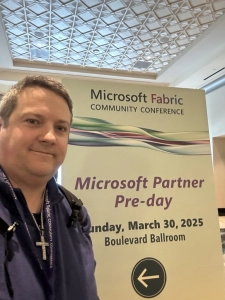
John Sterrett, ProcureSQL CEO, is attending the 2025 Microsoft Fabric Conference Partner Only Event.
The first significant benefit of the transition is a simplified work environment for all involved. Everything is integrated into one platform, eliminating headaches associated with handoffs and siloed workflow.
Data warehousing, data engineering, AI-powered analytics, data science, and business intelligence are now housed in one platform. A simpler platform means faster results for your company’s needs.
Moreover, as different teams collaborate, Fabric provides compliance features such as data tracking, version control, and role-based access, enabling multiple teams to work together simultaneously without compromising the integrity of your company’s data.
There is now an incredible amount of potential at their fingertips.
With Microsoft Fabric, forecasting future performance and AI-driven analysis now gives your teams a competitive edge.
This enables your business to transition from a purely reactive model to a proactive one, where you can stay one step ahead of what’s to come.
In terms of cost, you’ll be pleased to know that, despite all these new additions, the pricing model for Fabric remains scalable and flexible, depending on how you utilize it.
Microsoft provides a Fabric Capacity Estimator, allowing you to take full advantage of the new platform by understanding the up-front cost.
If you have already been using products from Azure and Microsoft, switching to Fabric is a no-brainer.
Transitioning to Microsoft Fabric
One of Fabric’s most valuable and convenient aspects is that its data and analytics can be shared across all teams for all to examine, including with your business’s non-tech parts, which are the decision-makers and subject matter experts. The data is easily interpreted, so minimal training is needed even if your users are not tech-savvy.
On top of that, with the involvement of AI, the data allows you to see patterns ahead of time so that everyone is on board if any anomalies or spikes in activity come up.
Transitioning to a new platform can be incredibly challenging, but here at Procure SQL, we’re here to help.
We’re ready to help your organization make this transition smoothly and with immediate impact.
Whether you’re still using Microsoft Power BI or a mix of analytics tools, our team can guide you through a phased implementation that minimizes disruption and maximizes value from the start.
Don’t wait to catch up; let ProcureSQL help you lead the way. Contact us today to get started on your Microsoft Fabric journey.
Modernizing Legacy Applications
Older legacy systems and legacy applications are crucial to a business’s functionality. They’re the backbone that holds a business together, whether they are a bank’s mainframe holding customer accounts, a factory’s SAP system handling inventory and payroll, or a retail company’s POS system for in-store sales.
As technology advances, these applications must be upgraded or replaced to keep up with the competition.

Legacy Applications Data: things to know.
Upgrading your legacy systems will make your company more efficient, resilient to threats, and scalable. This results in a significant bump in cost savings from reduced hardware and maintenance expenses, plus a better user experience for both employees using the system and customers.
To upgrade, though, you need to make a big decision. Do you migrate your entire system or upgrade/modernize the one you currently have?
Each has significant pros and cons, and it’s key to understand both before you make your decision.
Legacy Application Migrations
First, let’s talk about migrating your legacy applications.
Migrating means moving your data to a new environment, such as a cloud platform or a new system. Having a data architect on hand for this engagement helps reduce risk and improves the rate of a successful migration.
The immediate benefit of doing this is getting a fresh start with all the benefits the new platform has to offer.
It’s a complete overhaul that will jumpstart your company and allow it to benefit from cutting-edge technology immediately.
Because it’s a complete overhaul, though, there can be some pitfalls that you must be aware of.
First and foremost, migrating your data and systems is a considerable project. Old data often needs to be reformatted for new systems, as it was written in old code or is for outdated relational databases. Your data migration can be accomplished by refactoring or completely rewriting the data, which may take longer.
Add to this the investment in new software and training, and you have a more expensive, long-term project ahead of you.
Fortunately, the long-term benefits of migrating your system outweigh any cost you may have upfront.
The return on investment from a core business system migration has been shown to pay itself off quickly after adoption. For instance, organizations that migrated to Atlassian’s cloud technology reported an ROI of 155% over three years, with an initial payback period of only six months.
Furthermore, with detailed planning, you can prevent business disruptions and data loss during migration.
To prevent business disruption, the new system should be rolled out gradually during non-peak hours to minimize the impact. Several layers of data backup and heightened security now exist to guarantee the safety of customer and company data. A data architect is crucial to executing your go-live and rollback scenarios smoothly.
Application Modernization for Legacy Applications
When it comes to modernization for legacy applications, you’ll have a quicker turnaround to upgrade your system without a complete overhaul and the full benefits of migration.
Think of migration as buying a new car, while modernization is tuning up your old one.
Because of the project’s smaller scale, modernization mitigates any setbacks that may accompany a migration.
You’re keeping your old system, so you’ll save money on new software and training because it is familiar. Modernization focuses on small, gradual changes that allow you to keep your systems running while improvements are made.
The major drawback is that modernization has a smaller return on investment than migration. You won’t have access to all the benefits a totally new platform can offer.
In addition, as your system becomes increasingly outdated, you may eventually need to migrate to a new system. Modernization can delay this, but migration may one day become inevitable.
Making Your Decision Between the Two
Regardless of your choice in managing your legacy applications, data architects or database administrators should be part of your team to ensure your selection is executed correctly.
To make your decision between migration and modernization, see where you lie on the following two questions:
- What are your current needs? If your current system can’t keep up with your growth or you eventually want to scale, migration would be your way forward. Modernization is your choice if your current situation works but needs minor improvements.
- What’s your long-term plan and budget? Migration will require more upfront costs, but it has proven to return much more on its investment than modernization. Modernization is less cost-heavy upfront, can be implemented faster, and will deliver short-term improvements.
If you are unsure of any of these questions and need better insight into the best path forward, ProcureSQL can help. We are happy to chat with you one-on-one, or you can contact us today by clicking here to get started on your path to migration or modernization.
I attended the Microsoft Fabric conference for the first time last week. I wanted to provide a guide that CIOs and CEO’s could leverage to understand how they could utilize these new announcements at the 2025 Fabric Conference to obtain a competitive advantage. To be transparent, I was skeptical because Microsoft consistently changes or rebrands its analytics platform every three to five years. We have gone from Parallel Data Warehouses (PDW) to Analytics Platform Services (APS), Azure Services, Azure SQL Data Warehouse, and Azure Synapse Analytics, bringing us to Microsoft Fabric.
John Sterrett from ProcureSQL attends the 2025 Microsoft Fabric Conference.
To my surprise, after this conference, I have gone from seeing Fabric as Microsoft’s current take on Analytics to how it will stand out as an analytics platform of choice for people who want a simple, quick, and easy way to do analytics with the tools they already love using.
Artificial Intelligence (AI) will only be as practical as the quality of your data. Garbage in still equals garbage out, or as I like to call it, building a trusted dumpster fire. Preparing your data for AI will be the key to success with your AI Projects. Microsoft clearly understands this by focusing on preparing your data for AI with fabric mirroring, fabric databases, and SQL Server 2025. My takeaway is that you won’t have to get ready if you stay ready.
Copilot for all Fabric SKUs
Microsoft is committed to giving more people access to its AI tools as a commitment to this. In the coming weeks, users on F2 fabric compute and above can utilize Copilot. Additionally, you can use Fabric Copilot capacity, a new feature that simplifies setup, user management, and access to Copilot across different tiers.
Why Fabric Mirroring Is A Game Changer
Those following us aren’t new to the concept and advantages of fabric mirroring. One of the biggest mistakes we see that multiplies the odds of your analytics projects failing is incorrectly landing your data into your analytics platform of choice. Either the data is missing, has been transformed incorrectly, or is no longer being received.
Microsoft provides a feature called “mirroring” to help solve the problem of getting your data into your landing zone. With Azure SQL Databases and fabric databases, it’s as easy as a few clicks. Coming soon, you will have similar experiences with PostgreSQL in Azure, Oracle, SQL Server in VMs, and on-premises. What about other apps/data stores? Open mirroring is coming soon, and you can leverage it to get your other data into the Fabric landing zone.
Multi-Cloud Shortcuts
Microsoft has partnered with Snowflake to provide iceberg-formatted data across Fabric, eliminating data movement and duplication. You can use a shortcut to point directly to an Iceberg table written using Snowflake in Azure. Snowflake has also added the ability to write Iceberg tables directly into OneLake.
Apache Iceberg tables can be used with Fabric due to a feature called metadata virtualization. Behind the scenes, this feature utilizes Apache XTable.
The key takeaway is that users can now work on the same data using both Snowflake and Fabric, without requiring data movement or duplication. Letting your data professionals utilize the tools they use best is a huge win.
Fabric Databases
Microsoft Fabric Databases is the new kid on the block, and it’s already seeing traction as the first fully SaaS-ifyed database offering. Fabric databases are built for ease of use as a unified data platform. You can create databases in just a few clicks and have zero maintenance to worry about, as Microsoft fully manages the databases. Fabric database data is automatically mirrored into OneLake for analytics.
The key takeaway is that you can utilize Microsoft Fabric for application development and eliminate the need for a database infrastructure as a service MSP/partner. You can eliminate this cost as you should always get exponential value from your data MSP (what we built our practice focusing on), not just body for monitoring or keeping the lights up and running.
SQL Server 2025
Microsoft announced some updates to SQL Server 2025 at the keynote and in other breakout sessions. While it is still in private preview, it was easy to see how anyone who could write T-SQL could leverage models and vectors without needing extensive knowledge of vectors or algorithms. GraphQL will enable developers to access API endpoints and consume data, similar to most other APIs. JSON will be treated as a first-class citizen, with its data type and indexes, to help developers access their JSON data quickly and easily.
With SQL Server 2025, you can mirror your data to Microsoft Fabric with Zero ETL, zero code, our OneLake, and near real-time mirroring at no additional cost, without requiring change data capture. This will help reduce your total cost of ownership. There will be no additional compute costs for Availability Groups; continue to utilize your Fabric compute.
The key takeaway is that Microsoft continues investing in making SQL
Server more accessible from the ground to the cloud. SQL Server will continue to make it easier to help you utilize your data inside and outside the relational platform.
Other notable features
Autoscale Billing for Spark optimizes Spark job costs by offloading your data’s extraction, load, and transformation to a serverless billing model.
Command-line interface Fabric CLI is now in preview. Built on fabric APIs, it is designed for automation. There will be less clicky-clicky and more scripts that you can version control.
API and Terraform Integration Automate key aspects of your fabric platform now by utilizing Terraform. If you have used it with Azure, get ready to use it with Fabric as well.
CI/CD enhancements. With Fabric’s git integration, multiple developers can frequently make incremental workspace updates. You could also utilize variable libraries and delivery pipelines to help get your changes vetted and tested quickly through your various testing environments.
User Data Functions Fabric user data functions is a platform that allows you to host and run applications on Fabric. Data engineers can write custom business logic and embed it into the fabric ecosystem.
Statistics That Caught My Attention
- Microsoft Fabric supports over 19,000 organizations, including 74% of Fortune 500 companies.
- Power BI has over 275k users, including 95% of Fortune 500 companies
- 45k consultants trained, 23k partner certifications in its first year
- One billion new apps will be built in the next five years.
- 87% of leaders believe AI will give their organization a competitive edge
- 30,000+ fabric certifications completed in twelve months
I will be back next year and will provide you with another write-up, similar to the one I produced this week, in case you are unable to attend.
About ProcureSQL
ProcureSQL is the industry leader in providing data architecture as a service, enabling companies to harness their data and grow their business. ProcureSQL is 100% onshore in the United States and supports the four quadrants of data, including application modernization, database management, data analytics, and data visualization. ProcureSQL works as a guide, mentor, leader, and implementer to provide innovative solutions to drive better business outcomes for all businesses. Click here to learn more about our service offerings.
Do you have questions about leveraging AI, Microsoft Fabric, or the Microsoft Data Platform? You can chat with me for free one-on-one, or contact the team. We would love to share our knowledge and experience with you.