• Link to Facebook
  • Link to Instagram
  • Link to LinkedIn
  • Link to Youtube
  • Link to X
Call Us Today! 512-640-5750
Data Architect as a Service | Remote DBA Services
  • Services
    • Analytics Architecture
    • Database Architecture
    • Software Architecture
    • Microsoft Fabric Consulting
      • Microsoft Fabric Health Check
  • About Us
    • Testimonials
    • Recommendation Program
    • Jobs
      • Data Engineering Consultant
      • Principal Data Analytics Architect
  • Resources
    • Blog
    • Videos
  • Contact
  • Click to open the search input field Click to open the search input field Search
  • Menu Menu

Tag Archive for: SQL Server

ProcureSQL Speakers at Day of Data Pittsburgh and St. Louis 2026

Community

The ProcureSQL team is bringing practical insights on SQL Server performance, data protection, Power BI, and Microsoft Fabric to two Day of Data events this October.

John Sterrett will present in Pittsburgh on Saturday, October 10, 2026, followed by Meagan Longoria in St. Louis on Saturday, October 24, 2026. Both events offer in-person opportunities to learn, connect with fellow data professionals, and explore solutions to real-world data challenges.

  • John Sterrett, CEO of ProcureSQL, will speak at Day of Data Pittsburgh on Saturday, October 10, 2026.
  • Meagan Longoria, Data Analytics Architect at ProcureSQL and Microsoft Data Platform MVP, will speak at Day of Data St. Louis on Saturday, October 24, 2026.

Day of Data continues the long-running SQL Saturday and PASS community tradition, bringing together data professionals for a day of practical learning, technical sessions, networking, and conversations about the tools and practices shaping modern data work. Whether your focus is SQL Server, analytics, Microsoft Fabric, Power BI, data engineering, AI, or data leadership, these events create a valuable opportunity to learn from peers and practitioners who work with real-world data challenges every day.

John Sterrett at Day of Data Pittsburgh

When: Saturday, October 10, 2026
Where: Commonwealth Charter Academy, The Waterfront, 162 East Bridge Street, Homestead, PA 15120.

At Day of Data Pittsburgh, John Sterrett will present:

DBA Basics: Getting Started with Performance Tuning
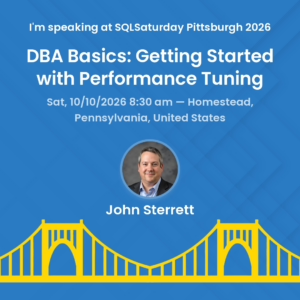
This session at Day of Data in Pittsburgh is a good fit for newer DBAs, developers, accidental database administrators, and IT professionals who want to build confidence in performance tuning.

This session at Day of Data in Pittsburgh is a good fit for newer DBAs, developers, accidental database administrators, and IT professionals who want to build confidence in performance tuning.

Performance problems can be intimidating—especially for newer DBAs, developers, and accidental database administrators who inherit an environment where users are already reporting that “SQL Server is slow.” John’s session provides a practical starting point for identifying and addressing common performance issues.

Attendees will learn how to find the most resource-consuming statements and get foundational guidance on reading and understanding execution plans. The goal isn’t to chase one-off fixes; it is to build a repeatable process for investigating performance problems, prioritizing the most meaningful opportunities, and making informed tuning decisions.

This session is a great fit for:

  • New and aspiring DBAs who need a usable performance-tuning framework.
  • Developers who want to understand how query design and execution plans affect application performance.
  • IT professionals responsible for SQL Server environments who want a clearer troubleshooting process.
  • Data professionals who want to move from reactive firefighting toward more proactive database performance management.

Advanced Data Protection Strategies with SQL Server
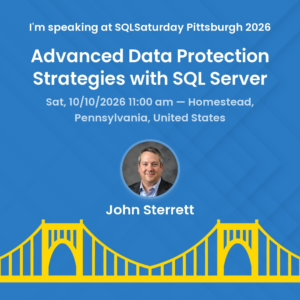
For teams responsible for database security, application access, or data governance, this session at Days of Data in Pittsburgh is for you.

For teams responsible for database security, application access, or data governance, this session at Days of Data in Pittsburgh is for you.

As organizations manage growing volumes of sensitive data, protecting that information requires more than defending against external attackers. Application users and privileged employees—including database administrators—also need appropriate boundaries around what they can access.

In this session, John will explain how to protect data while maintaining functionality and performance. He will explore three key capabilities:

  • Column-level encryption.
  • Row-level security.
  • Auditing.

Attendees will leave understanding how and why these capabilities contribute to SQL Server data protection, helping them make more informed decisions about securing sensitive information.

For teams responsible for database security, application access, or data governance, this session complements the performance-tuning fundamentals with another essential responsibility: protecting the data entrusted to your organization.

Day of Data Pittsburgh takes place on October 10, 2026. If you are attending, be sure to connect with John, ask questions, and share the performance challenges you are seeing in your own SQL Server environment.

Meagan Longoria at Day of Data St. Louis

Two weeks later, Meagan Longoria will represent ProcureSQL at Day of Data St. Louis on October 24, 2026, hosted at the Microsoft Technology Center in St. Louis.

When: Saturday, October 24, 2026
Where: Microsoft Innovation Hub, Microsoft Technology Center, 4220 Duncan Avenue, 5th Floor, St. Louis, MO 63110.

Meagan will present:

Challenges and opportunities in using AI for Power BI Report Development
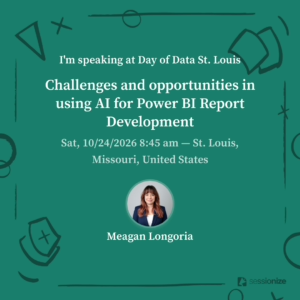
 

Exploring AI for Power BI development, this session will help you think beyond speed and focus on the quality and usefulness of the finished report.

Exploring AI for Power BI development, this session will help you think beyond speed and focus on the quality and usefulness of the finished report.

AI-assisted report development is generating plenty of excitement, but it does not remove humans from the design process. Why do some attempts to generate charts and reports with AI work well while others fall flat?

Meagan will examine the report and visualization development process, taking an honest look at what AI tools can do today and where human judgment still drives the outcome.

The session looks beyond generating visuals faster. It explores how AI can support better design decisions, clearer communication, and reports that people actually use.

Attendees will leave with a practical framework for deciding:

  • When to lean on AI.
  • When to take the wheel themselves.
  • What to expect as these tools continue to evolve.

If you’re exploring AI for Power BI development, this session will help you think beyond speed and focus on the quality and usefulness of the finished report.

Mirroring for SQL Server in Fabric: Inside the Replication Process
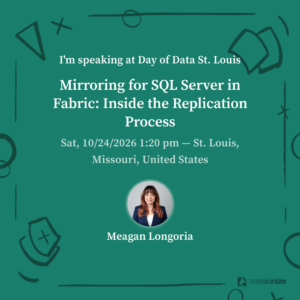
Meagan will take a technical look at the full replication process, tracing changes from the source database through how data lands and is retained in OneLake.

Meagan will take a technical look at the full replication process, tracing changes from the source database through how data lands and is retained in OneLake.

Mirroring for SQL Server in Microsoft Fabric promises near-real-time replication to OneLake—but what is actually happening under the hood?

Meagan will take a technical look at the full replication process, tracing changes from the source database through how data lands and is retained in OneLake.

The session will also cover:

  • Configuring replicated objects.
  • Monitoring replication health.
  • Understanding the conditions that trigger a table replication restart.

For DBAs, data engineers, and architects evaluating or implementing SQL Server mirroring, this session offers an opportunity to move beyond the feature overview and understand the mechanics that matter when operating it.

The St. Louis event is free and in person, though attendance is limited by capacity. Organizers note that prior events have reached capacity, so prospective attendees should register early.

Practical Learning, Community Connections

At ProcureSQL, we value opportunities to share knowledge, learn from other practitioners, and help data professionals address the challenges they face every day.

These four sessions reflect that commitment: finding and understanding performance problems, protecting sensitive information, making thoughtful use of AI, and understanding the replication processes behind modern analytics platforms.

Day of Data builds on the SQL Saturday and PASS community tradition, bringing professionals together for technical learning and connections across the data community. St. Louis’s event includes tracks spanning SQL Server, Microsoft Fabric, Power BI, data engineering, AI, and professional development.

Whether you’re focused on maintaining your existing SQL Server environment or expanding into modern analytics, we hope you’ll join us and bring your questions.

Register and Join Us

  • Day of Data Pittsburgh — October 10, 2026: View event details and the latest schedule. The event offers a full day of free training for Microsoft data-platform professionals.
  • Day of Data St. Louis — October 24, 2026: View the schedule and register. The event is free, but organizers say purchasing a lunch ticket provides priority attendance and guarantees a spot; without one, entry is available only while space remains.

Join John in Pittsburgh or Meagan in St. Louis for practical learning, technical conversations, and a chance to connect with the ProcureSQL team.

Follow ProcureSQL for future event updates, practical SQL Server and data-platform guidance, and insights from our team as we help organizations build, manage, move, analyze, visualize, and govern their data.

October 6, 2026/0 Comments/by John Sterrett
https://procuresql.com/wp-content/uploads/2026/10/Day-Of-Data-October-2026.avif 752 1424 John Sterrett /wp-content/uploads/2024/05/Data-Architecture-as-a-Service-with-ProcureSQL.png John Sterrett2026-10-06 22:06:252026-10-06 22:08:23ProcureSQL Speakers at Day of Data Pittsburgh and St. Louis 2026

SQL Server Performance Tuning: No Consultant Required

Data Architecture

Are you tired of people complaining about your database’s slow performance? Maybe you are tired of looking at the black box and hoping to find what is slowing your applications down. Hopefully, you are not just turning your server off and back on when people say performance is terrible.  Regardless,  I want to share a quick SQL Server performance-tuning checklist that Informational Technology Professionals can follow to speed up their SQL Server instances before procuring a performance-tuning consultant.

Bad SQL Server performance usually results from bad queries, blocking, slow disks, or a lack of memory. Benchmarking your workload is the quickest way to determine if performance worsens before end users notice it.  Today, we will cover some basics of why good queries can go wrong, the easiest way to resolve blocking, and how to detect if slow disks or memory is your problem.

The Power of Up-to-Date Statistics: Boosting SQL Server Performance

If you come across some outdated SQL Server performance tuning recommendations, they might focus on Reorganizing and Rebuilding Indexes. Disk technology has evolved a lot. We no longer use spinning disks that greatly benefit from sequential rather than random reads. On the other hand, ensuring you have good, updated statistics is the most critical maintenance task you can do regularly to improve performance.

SQL Server uses statistics to estimate how many rows are included or filtered from the results you get when you add filters to your queries. Suppose your statistics are outdated or have a minimal sample rate percentage, which is typical for large tables. In both cases, your risk is high for inadequate or misleading statistics, making your queries slow. One proactive measure to prevent performance issues is to have a maintenance plan to update your statistics on a regular schedule. Updating your stats with a regularly scheduled maintenance plan is a great start.

For your very large tables, you will want to include a sample rate. This guarantees an optimal percentage of rows is sampled when update statistics occur. The default sample rate percentage goes down as your table row count grows. I recommend starting with twenty percent for large tables while you benchmark and adjust as needed-more on benchmarking later in this post.

Memory Matters: Optimizing SQL Server Buffer Pool Usage

All relational database engines thrive on caching data in memory. Most business applications do more reading activity than writing activity. One of the easiest things you can do in an on-premise environment is add memory and adjust the max memory setting of your instance, allowing more execution plans and data pages to be cached in memory for reuse.

If you are in the cloud, it might be a good time to double-check and ensure you use the best compute family for your databases. SQL Server’s licensing model is per core; all cloud providers pass the buck to their customers. You could benefit from a memory-optimized SKU with fewer CPU cores and more RAM. Instead of paying extra for CPU cores, you don’t need so you can procure the required RAM.

Ideally, we would be using the enterprise edition of SQL Server. You would also have more RAM than the expected size of your databases. If you use the Standard edition, ensure you have more than 128GB of RAM (the maximum usage) for SQL Server Standard Edition. If you use the Enterprise edition of SQL Server, load your server with as much RAM as possible, as there is no limit to how much RAM can be utilized for caching your data.

While you might think this is expensive, it’s cheaper than paying a consultant to tell you you would benefit from having more RAM and then going and buying more RAM or sizing up your cloud computing.

Disks Optimization for SQL Server Performance

The less memory you have, the more stress your disks experience. This is why we prioritize focusing on memory before we concentrate on disk. With relational databases, we want to follow three metrics for disk activity. We will focus on the number of disk transfers (reads and writes) that occur per second, also known as IOPS. Throughput is also known as the total size of i/o per second. Finally, we focus on latency, the average time it takes to complete the i/o operations.

Ideally, you want your reads and writes to be as fast as possible. More disk transfers lead to increased latency. If your reads or writes latency is consistently above 50ms, your I/O is slowing you down. You must benchmark your disk activity to know when you reach your storage limits. You either need to improve your storage or reduce the I/O consumption.

Read Committed Snapshot Isolation: The Easy Button to Reduce Blocking Issues

Does your database suffer from excessive blocking? By default, SQL Server uses pessimistic locking, which means readers and writers will block writers. Read Committed Snapshot Isolation (RCSI) is optimistic locking, which reduces the chance that a read operation will block other transactions. Queries that change data block other queries trying to change the same data.

Utilizing RCSI is an way to improve your SQL Server performance when you queries are slow due to blocking. RCSI works by leveraging tempdb to store row versioning. Any transaction that changes data stores the old row version in an area of tempdb called the version store. If you have disk issues with tempdb, this could add more stress. which is why we want to focus on disk optimizations before implementing RCSI.

You Are Not Alone: Ask For Help!

You are not alone. Procure SQL can help you with your SQL Server Performance Tuning questions.

You are not alone. Procure SQL can help you with your SQL Server Performance Tuning questions.

If you have reached this step after following the recommendations for statistics, memory, disks, RCSI? If so, this is a great time to contact us or any other performance-tuning consultant. A qualified SQL Server performance tuning consultant could review your benchmarks with you and identify top offenders that could then be tuned with the possibility of indexes, code changes, and other various techniques.

If you need help, or just want to join our newsletter fill out the form below, and we will gladly walk with you on your journey to better SQL Server performance!

Please enable JavaScript in your browser to complete this form.
How can we help you?
- Step 1 of 6
Name *
Loading
Loading
Loading
Loading
Loading
Would you like to join our newsletter for free tips, videos, and helpful links?

Loading
October 4, 2024/by John Sterrett
https://procuresql.com/wp-content/uploads/2024/10/Quick-Wins-for-SQL-Server-Performance-Bottlenecks.png 630 1200 John Sterrett /wp-content/uploads/2024/05/Data-Architecture-as-a-Service-with-ProcureSQL.png John Sterrett2024-10-04 17:58:422024-10-04 18:09:13SQL Server Performance Tuning: No Consultant Required

Do I Need to Backup System Databases?

DBA 101, Disaster Recovery or High Availability, Health Checks

Great question!

     Before I answer this right off, ask yourself these questions: “Do I want to lose access to all other databases on the instance?  What would happen if I lose the model my company demands for the specific way every new database must be created?  Would anyone notice if I had to restore after a disaster and no one had correct passwords to the database?”  That shiver that just ran up your spine is your answer.  Absolutely YES, the system databases (Master, MSDB, and Model) should have backups!  

Master

     It is recommended that the Master be backed up as often as necessary to protect the data: a weekly backup with additional backups after substantial updates is highly recommended.  If for some reason the Master becomes unusable, restoring from the backup is the best way to get up and running.  Go here for information on Restoring the Master. If you do not have a valid backup of the Master, rebuilding the Master is the only option.  You can click here to find more information about what it takes to Rebuild System Databases.

Model

       Best practices recommend creating FULL backups of the Model Database, and doing so only when necessary for your business needs.  It is a small database that rarely sees changes; however, it is important to make sure it is backed up especially immediately after customizing its database options. 

MSDB

     Microsoft recommends to perform backups on the MSDB database whenever it is updated.  

TempDB

      What about TempDB?  Isn’t it a System Database as well?  Despite the importance of backups and recovery, the only database that cannot be backed up or restored is TempDB!  Why can it not be backed up or restored? TempDB is recreated each time the server is restarted, so any temporary objects like tables, indexes, etc, are cleared automatically.  As seen here, backup nor recovery are even an option!  

“But, backups take so long to run!”

    Feeling like this might be too much trouble?  As with any other backup, these too can be automated by using a SQL Agent job!   There is absolutely no reason NOT to back up your system databases.  If you feel otherwise, might I suggest you keep an updated resume close at hand.

September 13, 2018/by Angela Tidwell
https://procuresql.com/wp-content/uploads/2018/09/Procure-SQL-Do-I-need-a-Backup-System-Database-2.jpg 563 1090 Angela Tidwell /wp-content/uploads/2024/05/Data-Architecture-as-a-Service-with-ProcureSQL.png Angela Tidwell2018-09-13 14:36:132018-09-13 14:36:13Do I Need to Backup System Databases?

Does Your Database Have any Integrity?

DBA 101, Disaster Recovery or High Availability, Health Checks, Uncategorized

Corruption.  We know it is everywhere.  It is surely a hot-button issue in the news.  If you have not given much thought to database integrity, now is the time to sit up and pay attention.  Corruption can occur at any time.  Most of the time database corruption is caused by a hardware issue.  No matter the reason, being proactive on database integrity will ensure your spot as a hero DBA in the face of corruption.

A single lie destroys a whole reputation of integrity – Baltasar Gracian

Integrity is one of those words people throw around quite often these days.  The definition of integrity is the quality of being honest and having strong moral principles.  How can data have strong moral principles?  Does data integrity mean something different?  Yes, data integrity refers to the accuracy and consistency of stored data. 

Have Backups, Will Travel

When was the last time an integrity check was run on your database?  If you are sitting there scratching your brain trying to find the answer to that question, you may have serious issues with your database and not know it.

But, I have solid backup plans in place, so this means I am okay.  Right?

While having a solid backup and recovery plan in place is an absolute must, you may just have solid backups of corrupt data.  Regular integrity checks will test the allocation and structural integrity of the objects in the database.  This can test a single database, multiple databases (does not determine the consistency of one database to another), and even database indexes.  Integrity checks are very important to the health of your database and can be automated.  It is suggested to run the integrity check as often as your full backups are run. 

As discussed in an earlier blog, Validating SQL Server Backups, your data validation needs to take place BEFORE the backups are taken.  A best practice is to run a DBCC CHECKDB on your data to check for potential corruption.  Running CHECKDB regularly against your production databases will detect corruption quickly.  Thus providing a better chance to recover valid data from a backup, or being able to repair the corruption. CHECKDB will check the logical and physical integrity of the database by running these three primary checks*:

  • CHECKALLOC – checks the consistency of the database;
  • CHECKTABLE – checks the pages and structures of the table or indexed view; and
  • CHECKCATALOG – checks catalog consistency. 

Where to Look

Wondering if you have missing integrity checks or if they have ever been performed on your database?  The following T-SQL script will show when/if integrity checks were performed on your databases.  (Bonus) Running this script regularly will help track down missing integrity checks.

If you are looking for the last date the DBCC checks ran, the T-SQL script to use is as follows:


IF OBJECT_ID('tempdb..#DBCCs') IS NOT NULL
DROP TABLE #DBCCs;
CREATE TABLE #DBCCs
(
ID INT IDENTITY(1, 1)
PRIMARY KEY ,
ParentObject VARCHAR(255) ,
Object VARCHAR(255) ,
Field VARCHAR(255) ,
Value VARCHAR(255) ,
DbName NVARCHAR(128) NULL
)

/*Check for the last good DBCC CHECKDB date */
BEGIN
EXEC sp_MSforeachdb N'USE [?];
INSERT #DBCCs
(ParentObject,
Object,
Field,
Value)
EXEC (''DBCC DBInfo() With TableResults, NO_INFOMSGS'');
UPDATE #DBCCs SET DbName = N''?'' WHERE DbName IS NULL;';

WITH DB2
AS ( SELECT DISTINCT
Field ,
Value ,
DbName
FROM #DBCCs
WHERE Field = 'dbi_dbccLastKnownGood'
)
SELECT @@servername AS Instance ,
DB2.DbName AS DatabaseName ,
CONVERT(DATETIME, DB2.Value, 121) AS DateOfIntegrityCheck
FROM DB2
WHERE DB2.DbName NOT IN ( 'tempdb' )
END

The result will look similar to this.  However, let’s hope your results show a date closer to today’s date than my own!  If you see that your databases do not have integrity checks in place, check your backup and recovery plans and double check your agent jobs to see if perhaps the checks were scheduled but were turned off.

Exact Date Last Integrity Check

Recommendations

It is recommended that DBCC CHECKDB is run against all production databases on a regular schedule.  The best practice is to have this automated and scheduled as a SQL Agent job to run as a regular part of maintenance.  More specifically, to run the integrity check directly before purging any full backups.  Doing so will ensure that corruption is detected quickly, which will give you a much better chance to recover from your backup or being able to repair the corruption.

Remember, SQL Server is very forgiving and will back up a corrupt database!  Corrupt databases are recoverable, but they might have data pages that are totally worthless!

August 6, 2018/by Angela Tidwell
https://procuresql.com/wp-content/uploads/2019/02/Image-5-2.jpg 960 2325 Angela Tidwell /wp-content/uploads/2024/05/Data-Architecture-as-a-Service-with-ProcureSQL.png Angela Tidwell2018-08-06 02:31:582025-10-16 17:58:32Does Your Database Have any Integrity?

Demystifying System Databases

DBA 101, Design, Disaster Recovery or High Availability

Recently I have heard a lot of people discussing SQL Server System Databases.  The topic of system databases seems to be a deceptively basic one.  But how many people truly take the time to understand what system databases are and what purpose they serve?  Come along with me and let’s explore system databases.

What are System Databases and what do they do?

System Databases are needed for your SQL Server to operate.  These include Master, Model, MSDB, Resource, and TempDB.  For Azure SQL Database, only Master and TembDB apply.

  • Master – The Master Database records all the system-level information for and instance of SQL Server. This information includes logon accounts, linked servers, and system configuration settings.  The Master also records the existence of all other databases and the location of those files, and records the initialization information for SQL Server.  This means that SQL Server CANNOT START if the Master database is unavailable.  Think of this like the master key to your SQL Server door.
  • Model – The Model Database is used as the template for all databases created on the instance.  Modifications can be made to the Model DB that will be applied to all databases created after the Model DB has been altered.  These changes include database size, collation, and recovery model.  A full list of options that can/cannot be modified on a Model DB for SQL Server 2016 is available here.  The list for SQL Server  2014 Model DB options is located here. And for SQL Server 2012 the options are here.
  • MSDB – The MSDB database is used by SQL Server Agent for scheduling alerts and jobs. It is also used by Service Broker, Database Mail, SSIS, data collector, and policy based management.   SQL Server maintains a complete history of all online backups and restores within the tables in MSDB.  This history includes the name of the person or program that performed the backup, the time of the backup, and the drives of files where the backup is stored.  SQL Server Management Studio then uses this information to propose a plan for restoring a database and applying any transaction log backups.
  • Resource –  The Resource database is a read-only database that contains all the system objects that are included with SQL Server.  The Resource database does not contain user data or metadata.  Since it is a read-only database you will not see it listed on your instance as the other databases in the photo above.  
  • TempDB – The TempDB Database is a database that is available to all users connected to the instance of SQL Server.  It is used to hold objects that are created by users such as temporary tables and indexes, temporary stored procedures, table variables, and cursors.  It also stores objects that are created internally such as work tables, work files, and sort results for operations such as creating or rebuilding indexes.  Think of  TempDB like the “junk drawer” in your home.  Each item is needed at specific times, then is thrown into the drawer to sit a while.  More items are thrown in the drawer.  Everyone throws items in the drawer.  Eventually the drawer becomes too full and it begins to spill out.  No one ever wants to clean out the junk drawer, and eventually you need a bigger drawer.
    • Restrictions – Despite all of the operations that can be performed on the TempDB, the following are operations that CANNOT:
        • Adding filegroups.
        • Backing up or restoring the database.
        • Changing collation. The default collation is the server collation.
        • Creating a database snapshot.
        • Dropping the database.
        • Dropping the guest user from the database.
        • Enabling change data capture.
        • Participating in database mirroring.
        • Removing the primary filegroup, primary data file, or log file.
        • Renaming the database or primary filegroup.
        • Running DBCC CHECKALLOC.
        • Running DBCC CHECKCATALOG.
        • Setting the database to OFFLINE.
      • Setting the database or primary filegroup to READ_ONLY.

You must backup your TempDB!  True or False?

In a previous blog, I discussed that the Most Important Role of a SQL Server DBA  is the ability to understand and perform backups and recovery.  I went on to discuss backups in A Beginner’s Guide to SQL Server Backups as well as Recovery Models.   Despite the importance of backups and recovery, the only database that cannot be backed up or restored is TempDB!  Why can it not be backed up or restored? TempDB is recreated each time the server is restarted, so any temporary objects like tables, indexes, etc., are cleared automatically.  As seen here, backup nor recovery are even an option!

Should System Databases be backed up?

       Before I answer this right off, ask yourself these questions: “Do I want to lose access to all other databases on the instance?  What would happen if I lose the model my company demands for the specific way every new database must be created?  Would anyone notice if I had to restore after a disaster and no one had correct passwords to the database?”  That shiver that just ran up your spine is your answer.  Absolutely YES, the system databases (Master, MSDB, and Model) should have backups!  

It is recommended that the Master be backed up as often as necessary to protect the data: a weekly backup with additional backups after substantial updates is highly recommended.  If for some reason the Master becomes unusable, restoring from the backup is the best way to get up and running.  Go here for information on Restoring the Master. If you do not have a valid backup of the Master, rebuilding the Master is the only option.  You can click here to find more information about what it takes to Rebuild System Databases.

     Best practices recommend creating full backups of the Model Database, and doing so only when necessary for your business needs.  It is a small database that rarely sees changes; however, it is important to make sure it is backed up especially immediately after customizing its database options.  Microsoft also recommends to perform backups on the MSDB database whenever it is updated.  

Feeling like this might be too much trouble?  As with any other backup, these too can be automated by using a SQL Agent job!   There is absolutely no reason NOT to back up your system databases as often as you backup your regular databases.  If you feel otherwise, might I suggest you keep an updated resume close at hand.

Which recovery model should be used?

This brings us down to recovery modes.  As a default the Master and MSDB are set to Simple recovery model, the Model is user configurable; however best practices recommends setting MSDB to Full recovery model, especially if the backup and restore history tables are used. 

*Note that if you change the recovery model to Full, transaction log backups will need to be performed as well.  You don’t want your Master or MSDB logs to become full and risk losing all your data!

Pop quiz:  How often should you back up your TempDB?
(a) once a month
(b) weekly
(c) daily
(d) yearly on February 30th

Answer:  Trick question!  TempDB cannot be backed up.

June 25, 2018/by Angela Tidwell
https://procuresql.com/wp-content/uploads/2018/06/Procure-SQL-Demystifying-System-Datbases-1.jpg 558 1023 Angela Tidwell /wp-content/uploads/2024/05/Data-Architecture-as-a-Service-with-ProcureSQL.png Angela Tidwell2018-06-25 20:34:252018-06-25 20:34:25Demystifying System Databases

SQL Saturday Houston 2018

Announcements, Community, Education, General

SQLSatHou 2018

We are back this year!  Not only are we sponsoring SQL Saturday Houston, we are also speaking!  All three of us are presenting!  Go here to see the full schedule.

What is SQL Saturday?

SQL Saturday is a free training event for Microsoft Data Platform professionals and those wanting to learn about SQL Server, Business Intelligence, and Analytics.  SQL Saturday Houston will be held on June 23, 2018 at San Jacinto College – South Campus, 13735 Beamer Road, Houston, Texas  77089.  Check-in and breakfast starts at 7:30am.  The first sessions begin at 8:30 am.  There are sessions for beginners, intermediate, and advanced levels.  Topics covered at this SQL Saturday are:

  • Powershell
  • Application & Database Development
  • BI Platform Architecture, Development & Administration
  • Cloud Application Development & Deployment
  • Enterprise Database Administration & Deployment
  • Professional Development
  • Strategy & Architecture

Remember, this is a FREE event, but only a few spots remain!  Don’t wait, click here to register!

Where will we be?

We will each be at the Procure SQL booth with smiling faces, fun giveaways, and answers to your SQL Server questions!  Please stop by and say hello.  If not at the booth, you can find us attending a session or giving one of our own!

Angela will start out the day at 9:45 am in room 117.  She will be presenting her professional development session “Becoming the MVP: Soft Skills for the Hard Market.”  In this interactive, round-table discussion, Angela explores how soft skills are important at all levels of a person’s career.  The importance of soft skills in the job market, specific skills, and how to hone them will be top priority.  She has been known to give away prizes, so make sure to say hello!

Jay comes in next at 11:00 am in room 149.  Jay’s presentation is “Linux for SQL Server” and is a high-level overview of the differences and similarities between Linux and Windows for those who haven’t been exposed or may need a refresher.  Don’t be mistaken, even though this session is a high-level overview, it is fantastic for beginners!  Jay will introduce the Linux version of Windows commands used on a daily basis for administering SQL Server. Next, he will explore updating Linux, updating SQL Server, moving files between Windows and Linux, and backing up and restoring databases from one system to another. He will round out the session by taking a look at default file locations for SQL Server and what can be moved and how to accomplish that.

John is waking up the afternoon crowd at 1:30 in room 113.  He is presenting “Automate the Pain Away with Query Store and Automatic Tuning” which is an intermediate level presentation which explains how execution plans get invalidated and why data skew could be the root cause of seeing different execution plans for the same query. He will further explore options for forcing a query to use a particular execution plan. Finally, he will discuss how this complex problem can be identified and resolved simply using new features in SQL Server 2016 and SQL Server 2017 called Query Store and Automatic Tuning.  You won’t want to miss out on that!

What happens after the sessions are done?

Stick around after the last sessions because at 5:00 we all gather together for final remarks and sponsor raffles!  We will be giving away a new Super Nintendo SNES GiveawayEntertainment System Classic Edition!  To enter, just drop your raffle ticket in the bucket at our booth. 

But wait, there’s more!

The fun doesn’t stop here.  We leave from the event to an after party which is being held at Main Event, 1125 Magnolia Ave., Webster, Texas 77598.  Party starts at 6!  The after parties are a great way to unwind, network,  and chat up the speakers and new SQL friends you made during the sessions!

June 14, 2018/by Angela Tidwell
https://procuresql.com/wp-content/uploads/2018/06/Procure-SQL-SQL-Saturday-Houston-2018-1.jpg 554 1082 Angela Tidwell /wp-content/uploads/2024/05/Data-Architecture-as-a-Service-with-ProcureSQL.png Angela Tidwell2018-06-14 16:49:502018-06-14 16:49:50SQL Saturday Houston 2018

Validating SQL Server Backups

DBA 101, Disaster Recovery or High Availability

You have your SQL Server Backup Plan and your Database Recovery Model set.  How do you know if your Backups are good? TEST!  Validating SQL Server Backups will ensure that you are in a good place when it is time to bring your database back from the dead!  

Don’t assume that your Backups are solid and let them sit on a shelf.Corrupt backups are recoverable, but worthless. Did we mention you can automate SQL Server Backup validation?

There are several methods for validating your Backups.

    • RESTORE – The most effective way to validate that your backups are good is to run a test Restore.  If your Restore is successful, you have a solid backup.  Make sure to run a test restore on your Full, Differential, Point in Time, and Transaction Logs! Bonus points if you automate refreshing non-production.
  • Backup with CHECKSUM -It may not be realistic to run regular test restores on every single database, this is where CHECKSUM is your friend.  CHECKSUM is part of a backup operation which will instruct SQL Server to test each page being backed up with its corresponding checksum, making sure that no corruption has occurred during the read/write process. If a bad checksum is found, the backup will fail.  If the backup completes successfully, there are no broken page checksum
    • BEWARE though, this does not ensure that the database is corruption free, CHECKSUM only verifies that we are not backing up an already-corrupt database. (Later in this post we discuss checking data for corruption.) If it seems like too much trouble to write a CHECKSUM script every time you want to perform a backup, keep in mind that these can be automated as SQL Agent Jobs! A sample T-SQL script for using CHECKSUM is as follows:


Backup Database TestDB
To Disk='G:DBABackupsTestDBFull_MMDDYYYY.bak'
With CheckSum;

    • VERIFY – It is not wise to rely solely on CHECKSUM, a good addition is to use RESTORE VERIFYONLY.  This will verify the backup header, and also that the backup file is readable.  Note that much like CHECKSUM, this will check to see if there are errors during the read/write process of the backup; however, it will not verify that the data itself is valid or not corrupt.  Despite the name “RESTORE VERIFONLY”, it does not actually restore the data. VERIFY too can be automated to perform each time your backups utilizing CHECKSUM run.
  • CHECKSUM on Restore –  Databases where BACKUP WITH CHECKSUM have been performed can then be additionally verified as part of the restore process. This will check data pages contained in the backup file and compare it against the CHECKSUM used during the backup. Additionally, if available, the page checksum can be verified as well. If they match, you have a winner…
    More Details on CHECKSUM and BACKUP CHECKSUM


Restore Database TestDB;
From Disk='G:DBABackupsTestDBFull_MMDDYYYY.bak'
With VerifyOnly;

Data Validation Prior to Taking Backups

Keep in mind that if your data is corrupt prior to a backup, SQL Server can BACKUP that CORRUPTED DATA.  The validation methods mentioned above guard you against corruption occurring during backups, not against corrupted data within the backup.  For data validation prior to backups being run, it is suggested that DBCC CHECKDB be performed on each database on a regular basis.

  • DBCC CHECKDB –  SQL Server is very forgiving and will usually backup and restore corrupted data. A best practice is to run a DBCC CHECKDB on your data to check for potential corruption. Running CHECKDB regularly against your production databases will detect corruption quickly.  Thus providing a better chance to recover valid data from a backup, or being able to repair the corruption. CHECKDB will check the logical and physical integrity of the database by running these three primary checks*:
      • CHECKALLOC – checks the consistency of the database;
      • CHECKTABLE – checks the pages and structures of the table or indexed view; and
    • CHECKCATALOG – checks catalog consistency.

Automate Validation Steps

Corruption can happen at any time, most of the time it is related to a hardware issue.  Automating the steps necessary to validate your data and backups will help ensure you have the best practices in place to efficiently recover from catastrophic data loss.  Being able to backup and restore is not as important as being able to recover with valid data.Despite the above keys for validation, the only true way to verify that your backups are valid is to actually restore the database. It bears repeating: corrupt backups are recoverable, but worthless. 

*A full list of DBCC CHECKDB checks can be found here.

April 17, 2018/7 Comments/by Angela Tidwell
https://procuresql.com/wp-content/uploads/2018/04/Procure-SQL-Validating-SQL-Server-Backups-1.jpg 564 1090 Angela Tidwell /wp-content/uploads/2024/05/Data-Architecture-as-a-Service-with-ProcureSQL.png Angela Tidwell2018-04-17 16:43:372025-10-14 21:22:29Validating SQL Server Backups

SQL Server Recovery Models

DBA 101, Disaster Recovery or High Availability, Education

In my last post (A Beginner’s Guide to SQL Server Backups) we discussed the basics of SQL Server Backups. As Backups are the foundation for Recovery, the next logical discussion should be Recovery Models.  For reference, I have included this Sample Backup Plan from the earlier post:

Sample Backup Plan

Sample Backup Plan

There are Three SQL Server Recovery Models

Simple Recovery Model

This is the most basic of the Recovery models. It gives you the ability to quickly recover your entire database in the event of a failure; (or if you have the need to restore your database to another server) however, this only recovers data to the end of the last backup.

Thankfully, Differential Backups can be utilized with this recovery model.

NOTE: Any changes made after the last Full or Differential Backup will be lost.

Transaction Log Backups cannot be used in Simple Recovery Model.  There is no Point-In-Time recovery in this model (recovering to a specific transaction or point in time).  Looking at the sample backup plan above… if you have an issue occur Saturday afternoon, you will lose any changes in data since your last Differential Backup that ran Friday night.  If you do not opt for Differential Backups and only perform Full Backups once a week, your changes and data will be lost for the full week.  (GASP!)

Why would you ever consider using such a basic, Simple Recovery Model? Actually, there are a few really good (and perfectly safe) reasons why you choose to use Simple Recovery Model:

  • Your data is not critical and can easily be recreated
  • The database is only used for test or development
  • Data is static and does not change
  • Losing any or all transactions since the last backup is not a problem

Full Recovery Model

This is the most inclusive of the Recovery models; you can recover (depending on your valid backups) data up to the last transaction that was run before the failure. Log backups are a must for this recovery model, including Tail Log Backups (which will be discussed at length in a later post). Data can be restored to a specific point in time (once again, depending on your backup plan)! 

        • Let’s explore that for a moment using the sample backup plan above.  Say you take Full Backups on Sunday night, Differential Backups every week night, and Transaction Log Backups every half hour.  If you have a failure and must restore data, by using all the backups to the specific time you need to restore, you can recover data at any moment in time! Using this recovery model, you have a potential of minimal to no data loss (once again…depending on your backup plan and whether your backups are restorable).  You want to be the DBA who is able to restore quickly and recover data to the very last moment before the failure or crash occurred.  YES, we all want to be THAT person!

Bulk Logged Recovery Model

Once again, this Recovery model requires log backups in order to prevent the log file from continually growing.  This is a special purpose recovery model that is not widely used, and Microsoft states that it should only be used “intermittently to improve the performance of certain large-scale bulk operations, such as bulk imports of large amounts of data.”   It allows high performance bulk-copy operations and is only available when in Full Recovery.  Keep in mind that with the Bulk Logged model you can recover to the end of any backup; however, if a bulk transaction has occurred during the last log backup, those transactions will have to be redone.  From the bulk operation on, you can no longer utilize point in time restore.

OOOOOOOOOO, I dropped the ENTIRE database!

While studying Backups and Recovery, I have been working in SQL Server 2016 AdventureWorks Database (Download Here).  To see if I REALLY understood the process of Backup and Recovery, I made a Copy Only Backup of my original database, made some changes to my database, took Differential Backups, made another Full Backup, made more changes, and made more backups….and then dropped EVERYTHING. POOF….gone.  While I did do this intentionally, my heart was racing.  Sparkly spots darted in and out of my vision, and my heart pounded in my ears.  Would I be able to get it back? Would I be able to restore it?  WHAT HAVE I DONE??????

Photo Credit @Lance_LT

I Dropped the DB! Photo Credit @Lance_LT

How do I know that my backups were good?

I firmly believe you learn more from one of your failures than you do from one hundred of your successes.  TEST TEST TEST TEST those backups!  I am afforded some extra wiggle room while I am working on my virtual machine and not actually working on a client’s production database.

So, I did it, I dropped that DB like a hot rock.  I attempted to restore my database in Simple Recovery Model.My Differentials would not restore.  Somewhere along the way in the backup or restore process, I messed up.   (I will give you a hint at my mistake, I did not restore the Full Backup with NORECOVERY before I tried to restore the Differential Backup with RECOVERY – we will go into Recovery processes in a later post). 

Knowing that I had made a Copy Only Backup before I started monkeying around with the database, I set out to restore faith in myself.  And boom, I restored the Copy Only Backup!  The day was saved!  Well, mostly.  I lost some data changes, but still had the original database, so that was good-ish.

Lessons Learned

At a later date I repeated the steps above and was able to fully recover a database that was previously in Simple Recovery Model complete to the last Differential Backup (noting my mistake and learning from it).  I additionally created another database to test the Full Recovery Model with Full Database Backup, Differential, Transaction Log Backups, also utilizing Tail of the Log backup to get to the very last transaction that was run after the last backup and before my data files AND database were deleted. (This is pretty in-depth and is covered in Recovery Using Tail Log Backup.)

Please come back next time when we will explore ways to validate those backups.

Thank you for reading!

February 13, 2018/4 Comments/by Angela Tidwell
https://procuresql.com/wp-content/uploads/2018/09/Procure-SQL-SQL-Server-Recovery-Model-1.jpg 279 372 Angela Tidwell /wp-content/uploads/2024/05/Data-Architecture-as-a-Service-with-ProcureSQL.png Angela Tidwell2018-02-13 08:15:562025-10-16 19:27:44SQL Server Recovery Models

A Beginner’s Guide to SQL Server Backups

DBA 101, Disaster Recovery or High Availability, Education

As was discussed in a previous blog, (The Most Important Role of a SQL Server DBA) Backups and Recovery are the cornerstone of all successful SQL Server DBA careers.  Exactly how much attention is paid to backups until something drastic happens?  NOT AS MUCH AS SHOULD BE!

What is a SQL Server Backup?

A backup is the process of putting data into backup devices that the system creates and maintains.  A backup device can be a disk, file, a tape, or even the cloud.  Easy enough!

Backups are your Keys to Success

Backups are your Keys to Success

There are four different methods of backup in SQL Server:

  • Full Backup – A Full Backup is a copy of the entire database as it exists at the time the backup was completed. It is all-encompassing; every detail of your database (data, stored procedures, tables, functions, views, indexes, and so forth) will be backed up. This is why the Full Backup is the foundation of every restore sequence.  These Full backups can be quite large and put a strain on your storage capacity.  Despite the name, a full backup will only backup the data files; the transaction log must be backed up separately.  To ensure you can recover to the point of failure quickly, you will want to also utilize Differential and Transaction Log Backups (we will cover these next).  Without a Full Backup, your Differential and Transaction Log Backups are useless as you cannot restore a database without a Full Backup!  
  • Differential Backup – Differential Backups capture only changed data from the last Full Backup. Simple terms: this will backup only the changes since the last Full backup, not backup the entire database. In the event of an outage, the Differential Backups can greatly reduce the time to recover.  Using both Differential Backups and Full Backups will dramatically reduce required storage space, as the Full Backups can be very large and the Differentials are remarkably smaller.  
    • How does a Differential Backup know what data has changed?  When data is changed on a page, it sets a flag.  This flag indicates which extent (collection of 8 database pages) the Differential Backup will need to backup.  If your Differential Backups are set to run daily, each day’s data changes are recorded and the flag will not be cleared until a Full Backup has been executed.  Say on Monday you have 3 flags set, and Thursday you have 4 more set, your differential backup on Thursday night will contain data changes represented by all 7 flags, so the flags from the Monday Differential are not cleared by the subsequent Differential Backups.  The flags would only be cleared by a Full Backup.
  • Transaction Log Backup – A Transaction Log is a physical file that stores a record of all the transactions that have occurred on a specific database; much like a recorder, maintaining a record of all the modifications.  The Transaction Log Backup will capture the information and then releases the space in the log file so it is able to be used again.  In doing this, the Transaction Log Backup truncates the information in the Transaction Log, but the data is not deleted, it is stored in the backup!  Without Transaction Log Backups, the Transaction Logs will run and grow nonstop, chewing through valuable storage space.   
    • Not only does backing up and truncating the Transaction Log manage the filesize, it also decreases the potential for catastrophic data loss.  Having all the Transaction Log Backups since your last Full Backup will allow you to perform point in time restores.  Transaction Log Backups are ideally set up to execute every few minutes to every hour, depending on your company’s threshold for data loss.
  • Copy Only Backup – A Copy Only Backup doesn’t change the Differential.  It can be a full backup in that it is a record of the database as it exists when the backup is taken; however, it does not reset flags.  It is ideal for doing a full backup in the middle of the week without disrupting any other backups.  A Copy Only Backup can be used in a Dev space for troubleshooting, or preparing to move to a new environment.

Here is an example of a solid weekly backup plan which uses Full, Differential, and Transaction Log Backups:

Sample Backup Plan

Sample Backup Plan

Okay, great…backed up, now what?

Okay, so now you know what SQL Server backups are, a description of each backup type, an idea of how and what they back up, and have an idea of a good plan of action to create a solid backup plan.  So, why are backups so important?  Do you know how easy it is to accidentally update or delete data?   It is just one T-SQL statement away with the wrong filter, or no filter at all.  Having good up to date backups and being able to restore them is the difference between looking like a hero and being forced to find a new job.  Backups are your foundation for Recovery.

Please come back, this is the 2nd in a series of blog posts regarding SQL Server Backups and Recovery.  See you next time when we begin to discuss SQL Server Recovery Models.  Thank you for reading!


February 8, 2018/2 Comments/by Angela Tidwell
https://procuresql.com/wp-content/uploads/2018/09/Procure-SQL-A-Beginners-Guide-to-SQL-Server-Backups.png 567 1097 Angela Tidwell /wp-content/uploads/2024/05/Data-Architecture-as-a-Service-with-ProcureSQL.png Angela Tidwell2018-02-08 11:53:032018-02-08 11:53:03A Beginner’s Guide to SQL Server Backups

SQL Server 2017: Making Backups Great Again!

Disaster Recovery or High Availability

In some DBA circles, backups are just as popular as politicians! However, recoverability is the most important task for database administrators.  While SQL Server 2017 added so many great features like graph, SQL on Linux, and more.  Today, I want to focus on two small underdog features that might be game changers on how you do backups.

SQL Server Backups are often as popular as politicians.

SQL Server Backups are often as popular as politicians.

Smart Differential Backups

Databases are getting bigger, not smaller. More storage capacity is needed for these backups. Backup compression might hurt your storage capacity. Today, I am seeing more policies include full and differential backups along with transactional log backups. Differential backups are used to offset daily full backups. Typically people will use time increments as the basis for when backups should occur.  It’s very common to see automated jobs that do weekly full and daily differentials to reduce storage capacity needed for backups.

How often does your data change? Is the rate of change very consistent or does it change depending on the week?  Let’s assume this week it’s Tuesday and over 80% of your data pages have changed. You are not benefiting from taking daily differentials for the rest of the week. The opposite goes for data that doesn’t change that often.  Maybe you can save a lot of space by doing less frequent full backups.

Leveraging smart differential backups could greatly reduce your storage footprint and potentially reduce the time it takes to recover.

In SQL Server 2017 you can see exactly how many pages changed since your last full backup. This could be leveraged to determine if you should take a full or differential backup.  Backup solutions and backup vendors will be better for this.

 select CAST(ROUND((modified_extent_page_count*100.0)/allocated_extent_page_count,2) as decimal(6,2)) AS 'DiffChangePct' ,modified_extent_page_count ,allocated_extent_page_count from sys.dm_db_file_space_usage GO

Smart Transactional Log Backups

 The time your users are offline while you are recovering to the point of failure is critical. It could be the difference between keeping and losing customers.  Point-in-time recovery is mandatory for a critical database.  Transactional log backups have to be restored in order.

Recovery Point Objectives (RPO) drive how often you take transactional log backups.  If you have a policy that says you can only lose ten minutes of data, you need transactional log backups every ten minutes. Is this really true if there were no changes? What if your RPO is driven by the amount of data loss and not the time of the loss?  Either way, you can now control when transactional log backups occur based on the amount of data that has changed since the last transactional log backup.

 SELECT name AS 'DatabaseName',dls.log_since_last_log_backup_mb, dls.log_truncation_holdup_reason, dls.active_vlf_count, dls.active_log_size_mb FROM sys.databases s CROSS APPLY sys.dm_db_log_stats(s.database_id) dls

This post was written by John Sterrett, CEO & Principal Consultant for Procure SQL.  Sign up for our monthly newsletter to receive free tips.  See below for some great related articles.

  • The most Important Role of a SQL Server DBA
  • I got 9 SQL Backup Problems but a Disk Ain’t One 
  • Does Automation Kill the DBA “Store”

The post SQL Server 2017: Making Backups Great Again! appeared first on SQL Server Consulting & Remote DBA Service.

October 31, 2017/3 Comments/by John Sterrett
https://procuresql.com/wp-content/uploads/2018/09/Procure-SQL-SQL-Server-2017-Making-Backups-Great-Again-1.png 566 1095 John Sterrett /wp-content/uploads/2024/05/Data-Architecture-as-a-Service-with-ProcureSQL.png John Sterrett2017-10-31 21:12:292017-10-31 21:12:29SQL Server 2017: Making Backups Great Again!
Page 1 of 212
Join Our Newsletter
  Thank you for Signing Up
Please correct the marked field(s) below.
1,true,6,Contact Email,21,false,1,First Name,21,false,1,Last Name,2
Search Search

Blog Categories

  • $150 Challenge
  • Advice
  • Announcements
  • Artificial Intelligence
  • Awards
  • Azure Data Factory
  • C-Level
  • Cloud
  • Community
  • Conferences
  • Data Architecture
  • Data Integration
  • Data Visualization
  • Data Warehousing
  • DBA 101
  • Design
  • Disaster Recovery or High Availability
  • Education
  • Fabric Dev Ops
  • Fabric Lakehouse
  • Fabric Lakehouses
  • Fabric Mirroring
  • Fabric Notebooks
  • Features
  • General
  • Health Checks
  • Lab
  • Microsoft Fabric
  • Newsletter
  • Performance Tuning
  • Power BI
  • ProcureSQL
  • Python
  • Reporting
  • Security
  • SQL Server
  • sql server 101
  • SQLServerPedia Syndication
  • syndication
  • The Blog
  • Uncategorized
  • Visual Studio Credit

Tags

#SQLFamily Artifical Intelligence automatic tuning availability group azure backup Backups career Data Loss Data Platform DBA Denver Differential Backup Disaster Recovery Fabric Fabric Architecture Full Backup High Availability Houston Marketing Database Administrator Microsoft Microsoft Fabric Microsoft SQL Server mirroring parameter sniffing PASS performance tuning Professional Development query store Recovery Recovery Model Restores Security SQL Saturday SQL Server SQL Server 2017 sql server 2019 SQL Server 2022 sql server 2025 SSMS System Databases Transaction Log Backup tsqltuesday Tuning Wait Stats

Archives

  • October 2026
  • September 2026
  • August 2026
  • July 2026
  • June 2026
  • May 2026
  • April 2026
  • March 2026
  • February 2026
  • November 2025
  • October 2025
  • September 2025
  • July 2025
  • June 2025
  • May 2025
  • April 2025
  • March 2025
  • January 2025
  • December 2024
  • November 2024
  • October 2024
  • September 2024
  • August 2024
  • July 2024
  • June 2024
  • May 2024
  • February 2024
  • January 2024
  • November 2023
  • October 2023
  • March 2023
  • January 2023
  • May 2022
  • April 2022
  • November 2021
  • September 2020
  • August 2020
  • April 2020
  • March 2020
  • February 2020
  • January 2020
  • December 2019
  • November 2019
  • September 2019
  • July 2019
  • April 2019
  • November 2018
  • September 2018
  • August 2018
  • July 2018
  • June 2018
  • May 2018
  • April 2018
  • March 2018
  • February 2018
  • January 2018
  • November 2017
  • October 2017
  • August 2017
  • July 2017
  • June 2017
  • April 2017
  • December 2016
  • November 2016
  • October 2016
  • July 2016
© Copyright 2026 - ProcureSQL - 1464 East Whitestone Blvd., Suite 1902 Cedar Park, TX 78613, USA
  • Link to Facebook
  • Link to Instagram
  • Link to LinkedIn
  • Link to Youtube
  • Link to X
Scroll to top Scroll to top Scroll to top
Manage Consent
To provide the best experiences, we use technologies like cookies to store and/or access device information. Consenting to these technologies will allow us to process data such as browsing behavior or unique IDs on this site. Not consenting or withdrawing consent, may adversely affect certain features and functions.
Functional Always active
The technical storage or access is strictly necessary for the legitimate purpose of enabling the use of a specific service explicitly requested by the subscriber or user, or for the sole purpose of carrying out the transmission of a communication over an electronic communications network.
Preferences
The technical storage or access is necessary for the legitimate purpose of storing preferences that are not requested by the subscriber or user.
Statistics
The technical storage or access that is used exclusively for statistical purposes. The technical storage or access that is used exclusively for anonymous statistical purposes. Without a subpoena, voluntary compliance on the part of your Internet Service Provider, or additional records from a third party, information stored or retrieved for this purpose alone cannot usually be used to identify you.
Marketing
The technical storage or access is required to create user profiles to send advertising, or to track the user on a website or across several websites for similar marketing purposes.
  • Manage options
  • Manage services
  • Manage {vendor_count} vendors
  • Read more about these purposes
View preferences
  • {title}
  • {title}
  • {title}